slot
<template>
  <!--부모 컴퍼넌트-->
  <FilterBox :imageURL="imageURL" v-for="item in filterList" :key="item" :filterName="item">
    {{ item }}
  </FilterBox>
</template>

...

<template>
  <!--자식 컴퍼넌트-->
  <div :class="filterName + ' filter-item'" :style="`background-image:url(${imageURL})`">
    <slot></slot>
  </div>
</template>
태그 안에 데이터를 바인딩할 땐 slot 태그를 사용할 수 도 있습니다.
단순히 내려주는 태그 사이에 넘겨줄 데이터를 넣고 사용할 곳에 slot 태그를 넣어주면 데이터가 보입니다.
다음과 같이 필터 이름을 넘겨주고 받을 수 있게 됩니다.
<template>
  <!--부모 컴퍼넌트-->
  <FilterBox :imageURL="imageURL" v-for="item in filterList" :key="item" :filterName="item">
    <template v-slot:a> 데이터 1 </template> <!--1-->
    <template v-slot:b> 데이터 2 </template> <!--1-->
    <template v-slot:default="SON"> {{ SON.message }} </template> <!--2-->
  </FilterBox>
</template>

...

<template>
  <!--자식 컴퍼넌트-->
  <div :class="filterName + ' filter-item'" :style="`background-image:url(${imageURL})`">
    <slot name="A"></slot> <!--1-->
    <slot name="B"></slot> <!--1-->
    <slot :message="message"></slot> <!--2-->
  </div>
</template>

<script>
export default {
  data() {
    return(
      message: 'Hi!'
    )
  }
}
</script>
- 여러 데이터를 넘겨주고 싶을 땐 slot 태그의 name 속성과 template의 v-slot 속성을 같이 연결해 주면 가능합니다.
- 하위 컴포넌트의 데이터를 slot 속성으로 넘겨주고 부모 컴포넌트가 받아 쓸 수 도 있습니다.
뭐 이렇게도 데이터 넘겨줄 수 있다 정도만 알고 그냥 props 쓰는 게 좋습니다.
mitt
npm install mitt
main.js
import { createApp } from 'vue'
import App from './App.vue'

import mitt from 'mitt'

let emitter = mitt();
let app = createApp(App);
app.config.globalProperties.emitter = emitter;
//app.confing.globalProperties.axios = axios;

app.mount('#app')
mitt를 설치하고 전역 데이터 보관함을 설정합니다.
이해되기 쉽게 주석처리된 개념과 비교하면 이제 전역으로 axios를 알고, this.axios를 통해 사용 가능해집니다.
<template>
  <!--손자 컴퍼넌트-->
  <div
    :class="filterName + ' filter-item'"
    :style="`background-image:url(${imageURL})`"
    @click="filterChange"
  >
    <slot></slot>
  </div>
</template>

<script>
export default {
  name: "FilterBox",
  props: {
    imageURL: String,
    filterName: String,
  },
  methods: {
    // 1
    filterChange() {
      this.emitter.emit('filterClick', this.filterName);
    },
  },
};
</script>
<template>
  <!--조부모 컴퍼넌트-->
  <PostContainer
    :data="data"
    :step="step"
    :imageURL="imageURL"
    @write="myContent = $event"
    :class="filter"
  />
</template>

<script>
import data from "./assets/dummydata.js";

import PostContainer from "./components/PostContainer.vue";

export default {
  name: "App",
  data() {
    return {
      data: data,
      step: 0,
      pageIndex: 0,
      imageURL: "",
      myContent: "",
      filter: "",
    };
  },
  // 2
  mounted() {
    this.emitter.on("filterClick", (data) => {
      this.filter = data;
    });
  },
  components: {
    PostContainer: PostContainer,
  },
  methods: {
    publish() {
      let myData = {
        name: "Kim iltae",
        userImage: "https://placeimg.com/100/100/arch",
        postImage: this.imageURL,
        likes: 0,
        date: "May 15",
        liked: false,
        content: this.myContent,
        filter: this.filter // 3
      };
      this.data.unshift(myData);
      this.step = 0;
    },
};
</script>
- filterChange라는 클릭 시 적용되는 함수를 만들고 filterClick이라는 이름을 약속으로 filterName을 보냅니다.
- 보통 mounted 훅에 상태 업데이트를 집어넣는 편이며 filterClick이라는 약속으로 데이터를 받아 filter 변수에 넣어줍니다.
- 이 filter 변수에 들어간 값을 이용합니다.
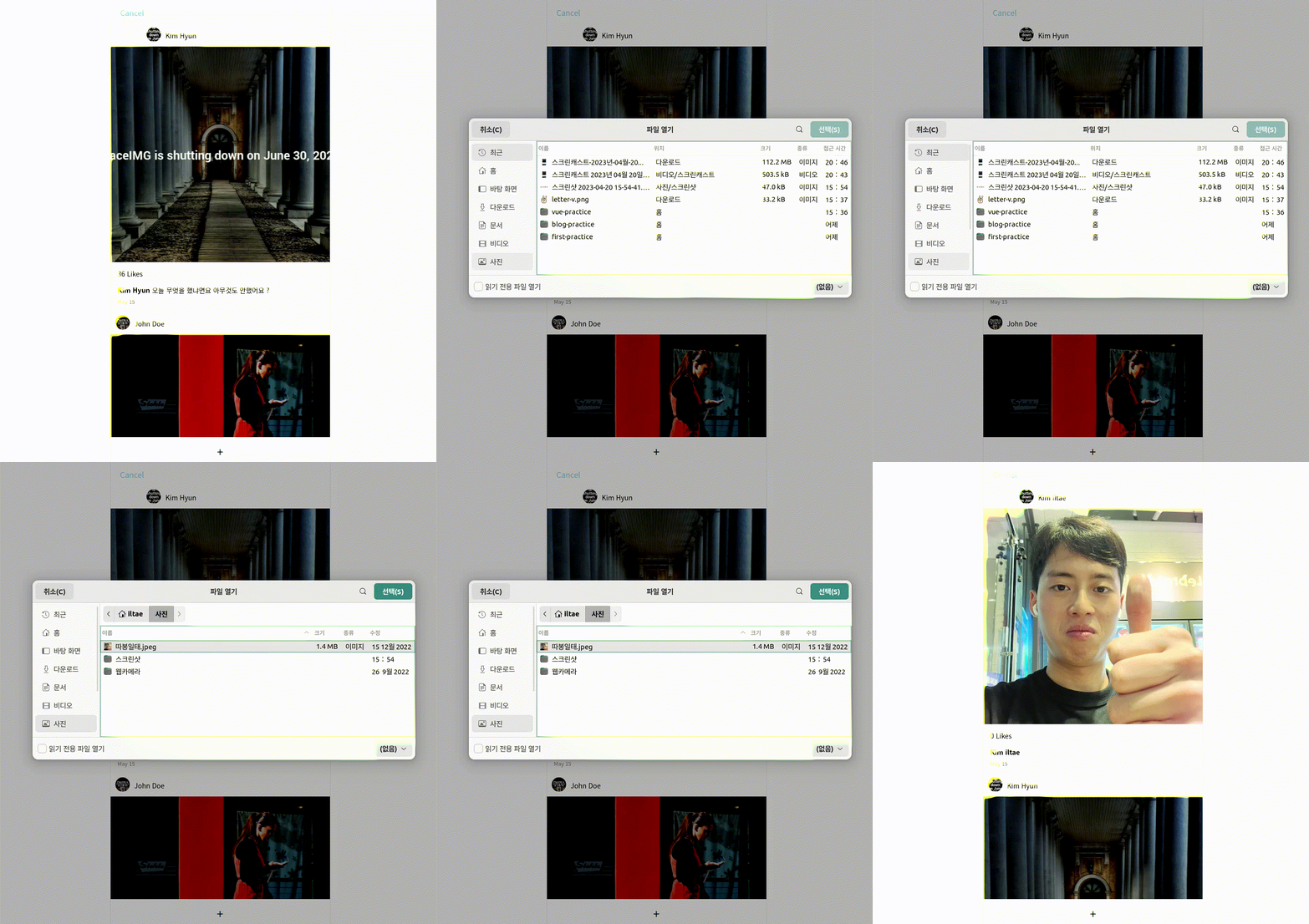
이렇게 데이터를 상위 + 상위 컴포넌트로 주고받을 수 있지만 Vuex를 통해 데이터를 전부 관리하는 게 좋습니다.
리액트의 리덕스 개념일지 다음 블로깅에서...


